
A companion for the minutes that make a roast.
An offline-first mobile experience that guides home coffee roasters through a live roast, preserves every adjustment, and makes a successful batch repeatable.
iOS & Android
Offline-first
Shipped product

Overview
Role:
Scope:
Platforms:
Status:
Timeline:
The Problem
From scattered notes to one guided roast.
Home roasters were moving between timers, handwritten notes, screenshots, and memory while operating time-sensitive equipment.
“A great batch is hard to repeat when nothing was captured at the moment it happened.”
I created Roastit after struggling to reproduce the light-to-medium coffees I liked - the kind of cup you might get from a roaster like Intelligentsia. I lacked professional equipment and years of experience. What I had was a clear sense of the coffee I wanted, but no reliable way to achieve it roast after roast.
I was struggling to find a tool that could identify the current phase, warn that first crack might be close, or show how a heat adjustment affected the session.
1
Attention was divided
Watch the beans, listen for cracks, adjust the machine, and record changes at once.
2
Timing carried meaning
A missed alert or unclear state could change the roast, not merely slow down a task.
3
Success was difficult to reproduce
Even when a roast worked, scattered records made the next attempt uncertain.
DESIGN RESPONSE
Build one continuous loop that guides, records, saves, and repeats.
Configure
Roast
Cool
Save
Review
Working Synthesis
From table notes to interaction rules.
Quick observations made around real roast sessions helped turn practical questions into product requirements before the flows were polished.

Roast timing
First crack, roast level, and second-crack behavior became distinct states, not one generic timer.
Re-roast continuity
Saved parameters, crack timing, and manual adjustments shaped how a previous roast could be repeated.
Feedback and control
The notes explored haptics, dynamic notifications, cooling guidance, and which inputs should remain editable.
Usability Testing
Tested beyond the prototype.
The opportunity came from firsthand domain experience. Validation combined structured usability testing, repeated live-roast sessions, beta feedback, and post-launch review.
12
participants in structured usability testing
3
evidence sources: behavior, feedback, real use
2
platforms validated across iOS and Android

“The overall experience was smooth. The app feels polished and easy to use.”

“The layout is clean, modern, and intuitive.”

“A real Android device exposed a navigation overlap invisible in static screens.”

“Good app. It’s already great.”
OBSERVE → IDENTIFY FRICTION → REVISE → RETEST
Research integrity mattered: personal use supported discovery and design QA, while external participants tested whether the experience worked beyond the designer’s own mental model.
Scoping V1: the AI Question
I explored AI-generated profiles, bean-bag analysis, and roast-color analysis in Figma and through a mock service, but it was not a functioning model integration or part of the shipped flow.
AI seemed useful but added cost, complexity, and a trust problem. I did not yet have the data or model behavior needed to guide a physical process involving heat and an unrecoverable batch of beans.
I deferred AI and shipped a manual-first V1: something I could use immediately and learn from through real roasts. I can revisit AI when I have more data and confidence in the product’s viability.
The core workflow requires no model or account. An optional QR scanner opens a coffee bag’s webpage but does not extract or populate its data.

Design Strategy
Four rules kept the product focused
Manual-first
Setup, live roasting, saving, and reviewing had to form a complete product without AI features filling the gaps.
Equipment-specific
Fresh Roast guidance could be more specific because I owned the machine and could test it. Other roasters received a broader workflow rather than guidance I could not stand behind. (Other specific roaster types are a future consideration).
Concrete over vague
The interface uses times, current settings, suggested settings, and explicit actions instead of phrases such as “soon” or “medium heat.”
Remove what does not fit
Onboarding was reduced from three questions to one: what do you roast with?
Roaster type only
The Core Experience
A full roast, held in one flow.
Each stage answers a different question:
What am I roasting?
What should I do now?
When should I cool?
What happened?
How can I repeat it?



PROGRESSIVE COMMITMENT
Ask only for what is needed now.
The flow moves from preparation to live guidance to review, keeping the active-roast screen focused on immediate actions.
STATE CONTINUITY
Preserve the story of the roast
Timer events, machine adjustments, phase transitions, and crack markers become a reusable record rather than disposable session data.
Interaction Design
Designing for the moments between screens.
The hardest work was not the happy path. It was defining what happened when alerts overlapped, the user paused, left the app, returned, stopped early, or needed to recover.
ALERT HIERARCHY
1 · Blocking decision
Cooling, discard, and exit confirmations persist until the user chooses.
2 · Milestone
First crack, development, late warning, and target time.
3 · Ambient cue
Phase, progress, heat guidance, and crack-button changes.
4 · Celebration
Positive closure only after preserved.
SYSTEM STATES
Roasting
Timer runs; guidance advances.
Paused
Timer freezes; context remains.
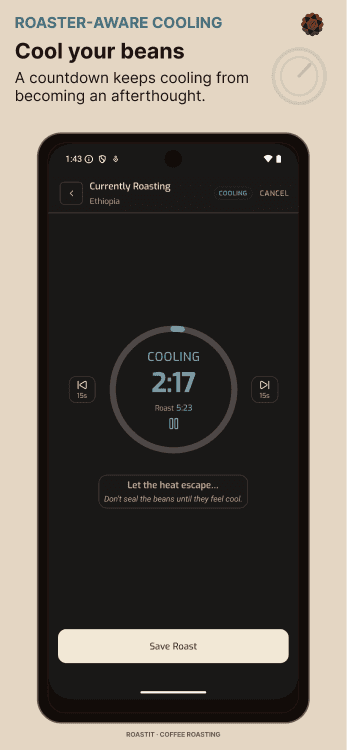
Cooling
Cooling replaces roast guidance.
Recovery
Conflicts blocked; work preserved.
Replacement rule: a newer, higher-priority timed warning replaces the one on screen instead of creating a queue. A destructive confirmation is never displaced by a timed message.
Iteration and Design QA
Real devices changed the design.
Static prototypes established the interaction model. Live roasting and implementation exposed platform behavior, timing problems, and state failures that could only be understood in context.

CROSS-PLATFORM DESIGN QA
Android navigation overlapped the app menu.
A participant’s device revealed that the layout did not adequately account for the native system-navigation area. Bottom spacing was updated to respect Android safe-area insets and retested.
STATE PERSISTENCE
Re-roast adjustments reset across phase changes.
After launch, a user reported that recorded heat adjustments were not carried correctly through the re-roast cycle. The state transition logic was corrected, regression-tested, and validated by the reporting user.

ALERT LOAD
A requested sound was treated as a need - not a solution.
One tester wanted spoken confirmation during re-roast. The underlying need for eyes-free feedback was documented for further validation rather than immediately adding another mandatory alert.
BEFORE
EVIDENCE
Real usage revealed platform and transition failures.
AFTER
Flows were validated end to end, including recovery states.
Visual System
A palette pulled from the roast.
Espresso surfaces, roast-level browns, honey pause, and washed-blue cooling carry meaning across badges, progress, controls, and alerts.
TYPE AND HIERARCHY
Tienne for emphasis. Exo for action.
Tienne gives selected titles and headers a warm editorial voice. Exo carries interface labels and body copy with compact, functional clarity.
REUSABLE PATTERNS


Reusable Figma components and production tokens cover buttons, badges, cards, spacing, radii, semantic states, and responsive behavior.

Design and implementation stayed connected: visual decisions were translated into shared tokens and reusable components, then checked again through design QA on real devices.
Final Experience
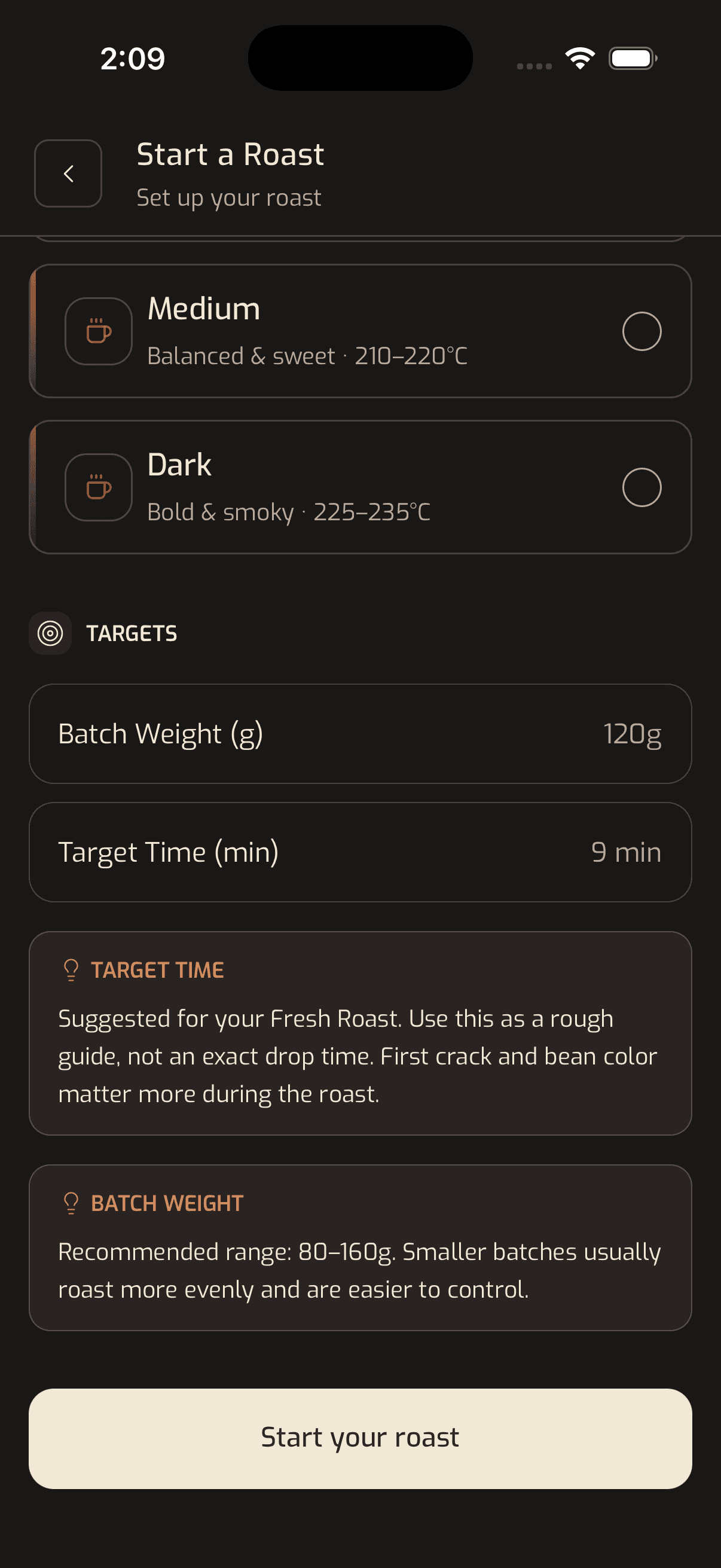
Each screen focuses on one task: configure, roast, cool, save, or review. The live view keeps timing, guidance, alerts, and controls together, while saved details support review and re-roast.
The iPad version works but still scales the phone layout; a more intentional side-by-side tablet layout remains future work.
Refined into what shipped
One hierarchy across phone and tablet
Generate your roast
Live Roast

Saved Roast Details

iPad-Live Roast

Launch and Early Results

From an observed problem to a shipped product.
Roastit moved beyond a case-study concept. It was researched, designed, built, tested, launched, and improved through real-world use.
WHAT I OWNED
Research, task flows, interaction design, visual system, prototyping, AI-assisted implementation, testing, launch, and design QA.
WHAT I LEARNED
A product is not finished when the screens are polished. Reliability lives in transitions, interruptions, recovery behavior, implementation details, and the willingness to keep testing after launch.